Meta Description:
Learn how to check or upload result on JAMB portal 2026. Complete guide to upload WAEC, NECO, and A’level results and verify if your result is showing on JAMB CAPS.
How to Check or Upload Result on JAMB Portal
Many candidates fail to gain admission into tertiary institutions because they did not upload their O’level or A’level results on the JAMB portal.
This includes results like:
- WAEC
- NECO
- NABTEB
- OND
- NCE
- Other A’level qualifications
The process is managed by the Joint Admissions and Matriculation Board.
Important Notice About Uploading Results
You cannot upload your result on the JAMB portal by yourself.
Result upload can only be done at:
- Accredited CBT centers
- JAMB offices
However, you can check if your result has been uploaded online.
How to Check Result on JAMB Portal (If Uploaded)
Follow these steps to confirm if your WAEC or NECO result is uploaded:
Step 1: Login to JAMB Portal
Visit: https://efacility.jamb.gov.ng/
Enter your email and password
Step 2: Access JAMB CAPS
- Click on “Check Admission Status”
- Select your exam year (e.g., 2026)
- Click “Access my CAPS”
Step 3: Open O’Level Section
- Click on “My O’Level” if “My A’Level” Select
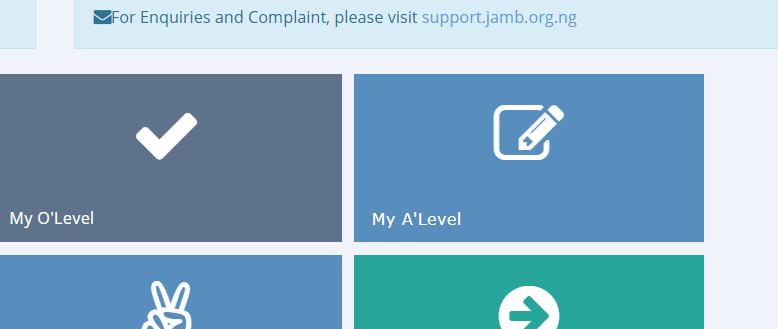
Step 4: Confirm Your Result
- If uploaded, your result will be displayed
- You will see your subjects and grades
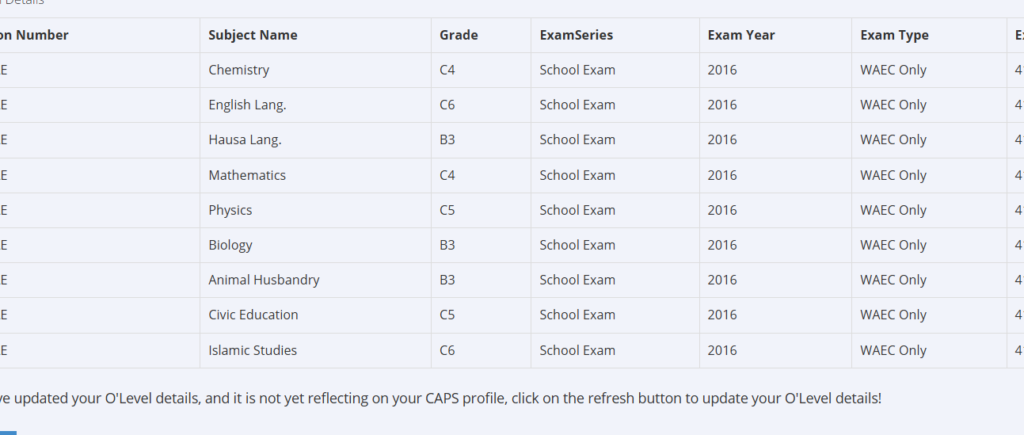
How to Upload Result on JAMB Portal
Since candidates cannot upload directly:
Visit an Accredited CBT Center
Provide the following:
- JAMB Registration Number
- O’level result (WAEC, NECO, etc.)
- A’level result (for Direct Entry candidates, if available)
The CBT center will upload it for you.